View Categories

All Campaign 

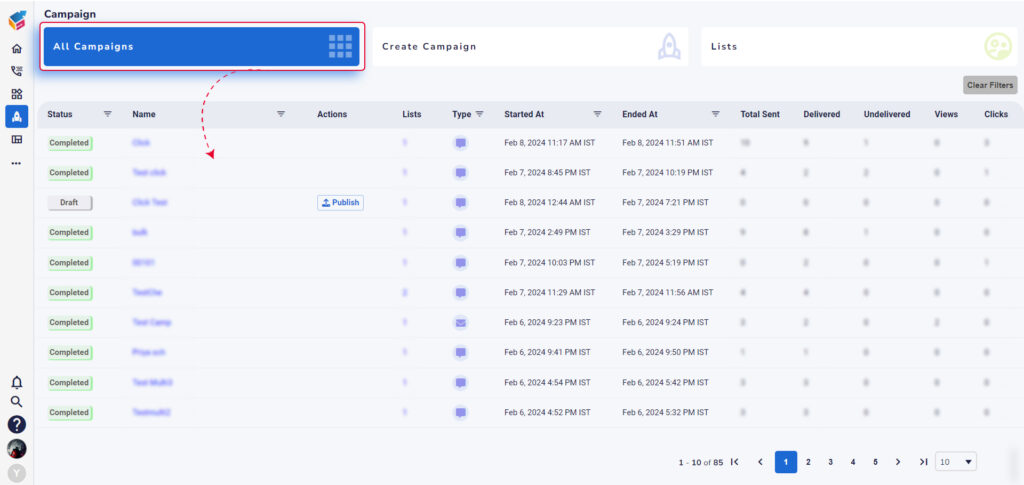
  • Navigate to the campaign menu and choose the All-Campaigns tab.  
  • Here, you’ll find a comprehensive list of all campaigns, along with details such as campaign status, name, associated lists, type, start/end dates, and more, as illustrated in the screen below. 

To remove contacts from the current list: 

  • Click on the number shown under the statistical column you want to view. 
  • Select one or more customers from the list shown in the pop-up window. 
  • Click on the Remove from Lists option to delete them directly from the current list. 
Stay informed on the latest updates!