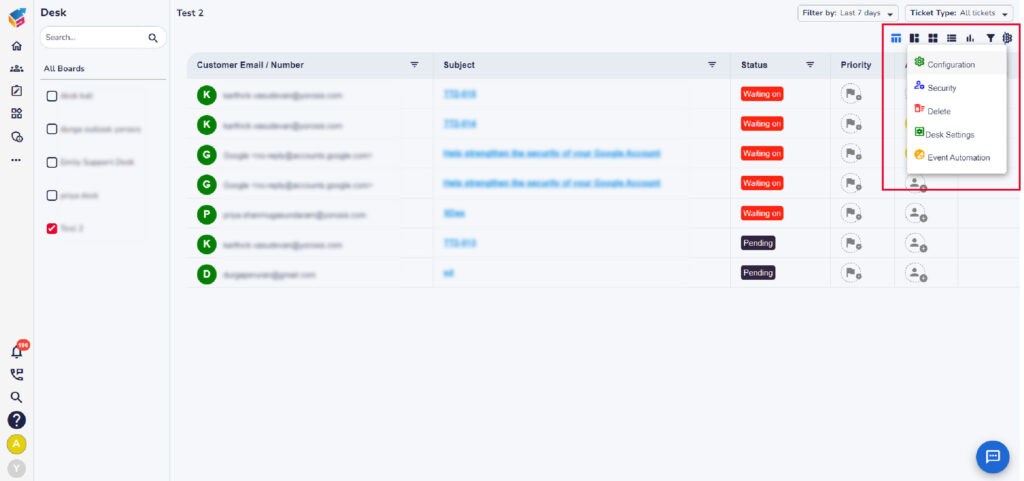
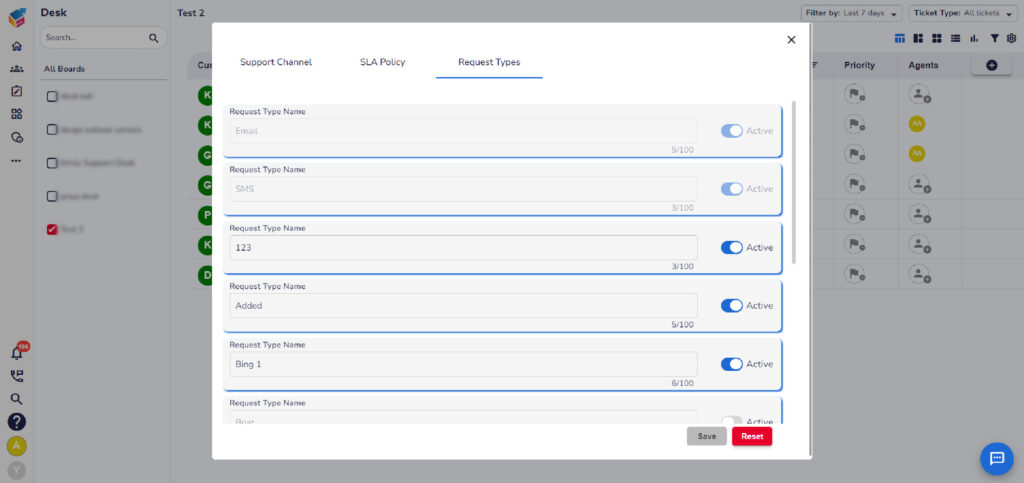
After creating a category, users need to create a request type. To do this, navigate to the board and click on configuration from Settings.
Here, users can create a request type and choose to set it as active or inactive. Active request types will be displayed in the list, while inactive ones will not be shown.
Similar to categories, users can create request types but cannot delete them.